How to make LINE stickers of your pet
Make the sticker images in the size LINE asks for (PNG, each sticker at most 370 × 320 px with even width and height and a 10 px margin, up to 1 MB), plus a main image and a tab image, then submit the set through LINE Creators Market, where LINE reviews it before it goes on sale. AI Pet Stickers makes those images from one photo of your pet.
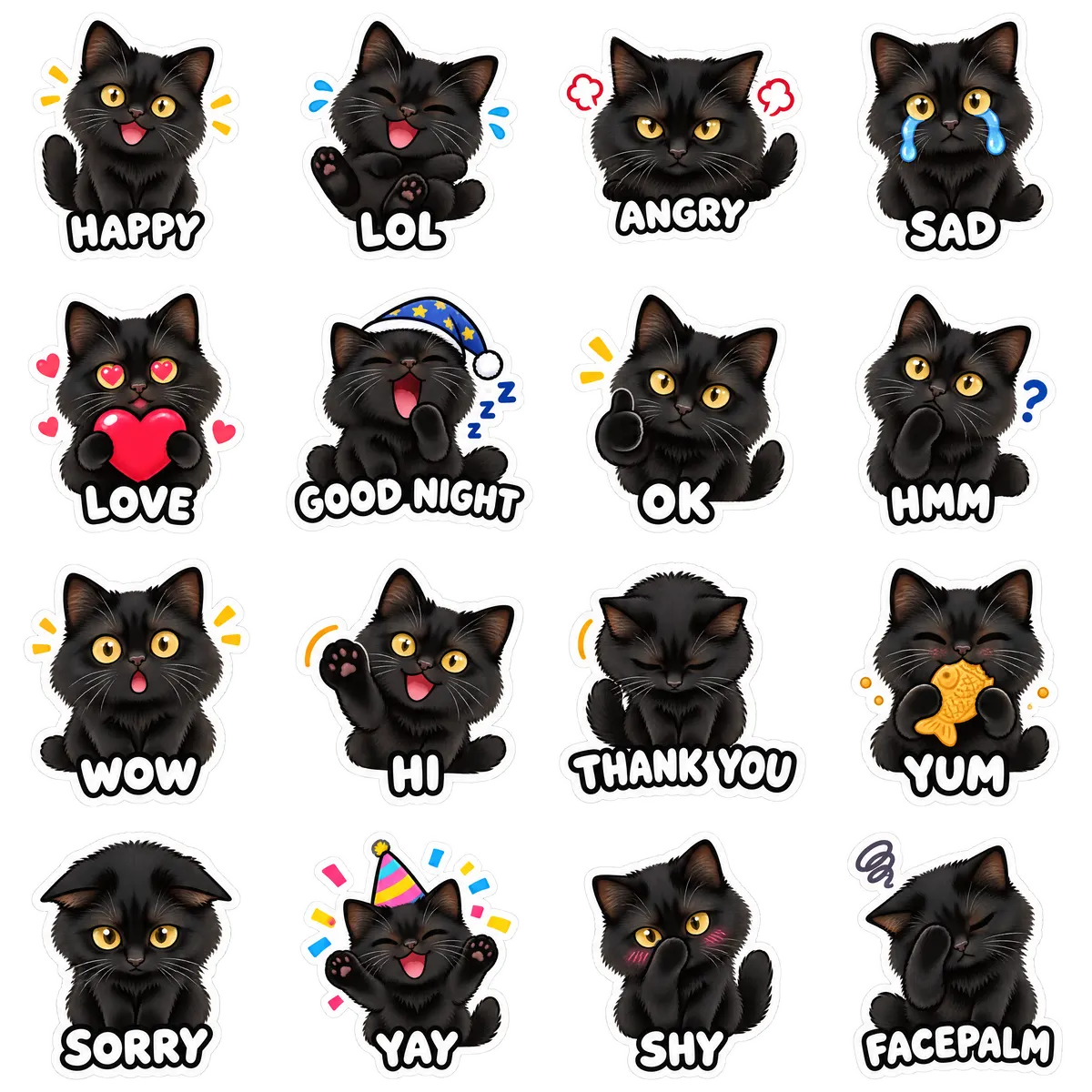
| Stickers per pack | 16 stickers |
|---|---|
| LINE stickers | PNG, each sticker at most 370 × 320 px with even width and height and a 10 px margin, up to 1 MB |
| LINE main and tab images | a 240 × 240 px main image and a 96 × 74 px tab image |
| Packs from | $5.99 |
| Packs | $5.99 for a single pack (16 stickers, one style) or $12.99 for the style bundle (48 stickers, all three styles) |
The LINE sticker specs
Each sticker: PNG, each sticker at most 370 × 320 px with even width and height and a 10 px margin, up to 1 MB. The set also needs a 240 × 240 px main image and a 96 × 74 px tab image. LINE publishes these rules in its Creators Market guidelines; check them before you submit, as they can change.
Personal use
LINE stickers go through Creators Market, so even a set you only want for yourself is reviewed first. The options for keeping a set to yourself vary by region and over time: check Creators Market for the current choices.
Rules that matter for pet stickers
Use only a photo you have the right to use. Pet stickers suit LINE well: clear expressions, short captions and a transparent background are what reviewers expect.
Make the images with AI Pet Stickers
AI Pet Stickers turns one photo of your pet into 16 stickers with captions, already sized for LINE, with the main and tab images. It does not submit the set for you, does not guarantee LINE’s approval, and does not make animated stickers. Pets and other animals only: photos of people, including yourself, are not accepted.
Step by step
- Make the images. Draw them yourself or upload one photo of your pet to AI Pet Stickers. You need the stickers and a 240 × 240 px main image and a 96 × 74 px tab image.
- Sign up for LINE Creators Market. Register as a creator on LINE Creators Market with your LINE account.
- Create a new sticker set. Add a title and description, choose the number of stickers, and upload the sticker images, the main image and the tab image.
- Submit for review. Send the set for review. Review times vary, and LINE may ask for changes.
- Release it. Once approved, release the set and download it in the LINE app.
Make yours now
Open the tool