How to add custom emoji to Discord
On a server where you have permission to manage emoji, open Server Settings, go to Emoji, click Upload Emoji and choose your images (128 × 128 px PNG under 256 KB, emoji names of 2 to 32 letters, digits or underscores). Each emoji gets a name you type between colons in chat.
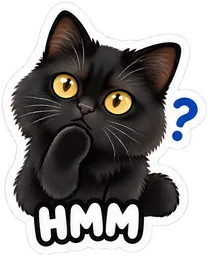
| Discord emoji | 128 × 128 px PNG under 256 KB, emoji names of 2 to 32 letters, digits or underscores |
|---|---|
| Stickers per pack | 16 stickers |
| Packs from | $5.99 |
The Discord emoji format
Custom emoji: 128 × 128 px PNG under 256 KB, emoji names of 2 to 32 letters, digits or underscores. A transparent background lets the emoji sit cleanly in light and dark themes.
Slots and Nitro
How many custom emoji a server can hold depends on its boost level; the Emoji page shows the free slots. Using a server’s emoji in other servers generally needs Nitro.
Make the emoji with AI Pet Stickers
AI Pet Stickers turns one photo of your pet into 16 stickers, each a different expression, and gives you a Discord ZIP with ready-named emoji files. It does not upload them to your server and does not make animated emoji or Discord stickers. Pets and other animals only: photos of people, including yourself, are not accepted.
Step by step
- Prepare the images. Square images with transparent backgrounds: 128 × 128 px PNG under 256 KB, emoji names of 2 to 32 letters, digits or underscores.
- Open Server Settings. Click the server name and open Server Settings. You need a role that may manage the server’s emoji (Discord’s permission names change from time to time).
- Upload. Go to Emoji and click Upload Emoji. You can select several files at once.
- Name them. Check or change each emoji’s name, then use it in chat by typing its name between colons.
Make yours now
Open the tool