Discord emoji maker for your pet
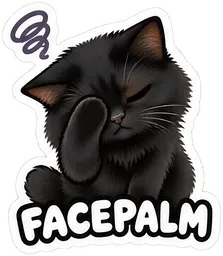
One photo of your pet becomes 16 stickers, each a different expression: happy, angry, thinking, facepalm and more. The Discord ZIP holds emoji in the format Discord asks for: 128 × 128 px PNG under 256 KB, emoji names of 2 to 32 letters, digits or underscores.
Upload in Server Settings
On a server where you can manage emoji, open Server Settings, then Emoji, then Upload Emoji, and pick the files. The names are already valid emoji names.
A whole set of reactions
Happy, LOL, angry, sad, love, good night, OK, hmm, wow, hi, thank you, yum, sorry, yay, shy and facepalm: reactions your server will actually use.
Step by step
- Upload one photo of your pet. A clear, well-lit photo of one animal with its face visible. JPEG, PNG or WebP still photos. Videos cannot be uploaded. Pets and other animals only: photos of people, including yourself, are not accepted.
- Pick a style and see the free preview. Choose Chibi, Kawaii or 3D toy. You get a watermarked preview of the whole sheet first (3 free watermarked previews a day).
- Pay once and download. Pay as a guest, no account: $5.99 for a single pack (16 stickers, one style) or $12.99 for the style bundle (48 stickers, all three styles). The HD pack with transparent backgrounds is ready in a few minutes.